Stock Chart2.8.8
Publisher Description
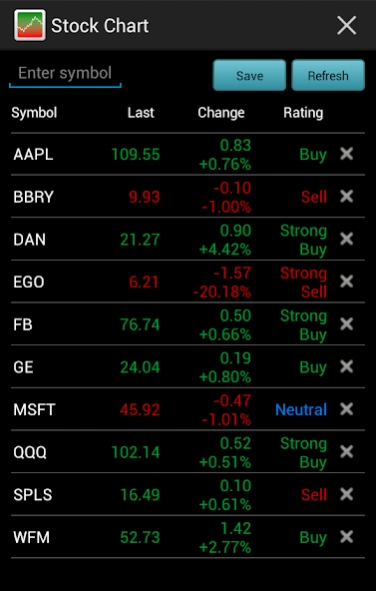
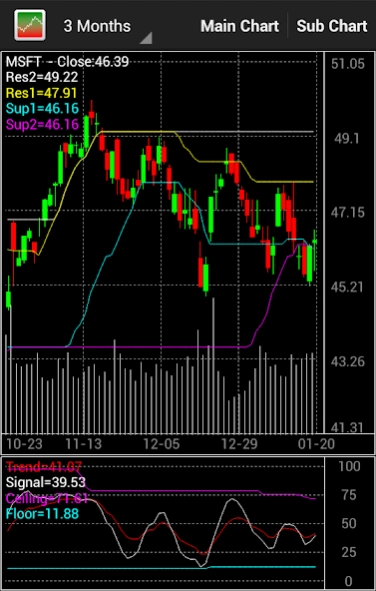
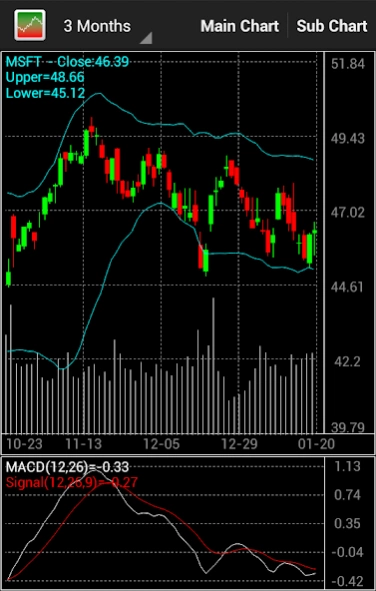
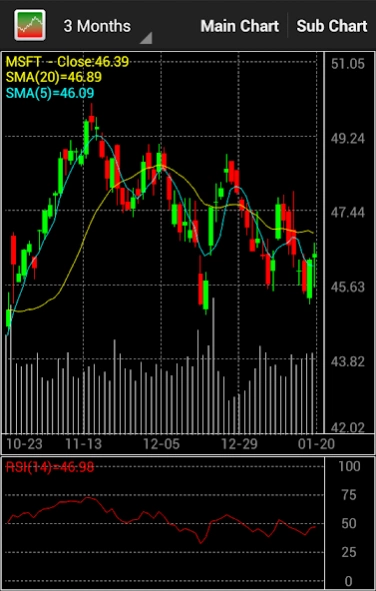
Stock technical analysis charts for US stocks: NYSE, NASDAQ and AMEX stocks
Stock technical analysis charts for US stock markets, includes NYSE stocks, NASDAQ stocks and AMEX stocks.
Features:
1. Stock analysis charts: Bollinger Bands (BOLL), Chandelier Exit (Long), Exponential Moving Average (10,50), Exponential Moving Average (20,100), Keltner Channels, Price Channels, Simple Moving Average (10,50), Simple Moving Average (20,100), Stoxline Support and Resistance, Weighted Moving Average (WMA).
2. Stock analysis indicators: Accumulation Distribution Line, Aroon Up and Down , Aroon Oscillator , Average Directional Index (ADX), Average True Range (ATR) , Commodity Channel Index (CCI), Chaikin Money Flow (CMF), Chaikin Oscillator, Coppock Curve, Ease of Movement (EMV), Force Index, Full Stochastics, MACD, Mass Index, Money Flow (MFI), On Balance Volume (OBV), %B Indicator, Rate of Change (ROC), Relative Strength Index (RSI), TREND, Williams %R (%R)
3. multi-time frame charts.
4. stock real time quote.
5. Real time Buy, Sell or Neutral signals,
totally free.
About Stock Chart
The company that develops Stock Chart is Stoxline. The latest version released by its developer is 2.8.8.
To install Stock Chart on your Android device, just click the green Continue To App button above to start the installation process. The app is listed on our website since 2024-02-19 and was downloaded 6 times. We have already checked if the download link is safe, however for your own protection we recommend that you scan the downloaded app with your antivirus. Your antivirus may detect the Stock Chart as malware as malware if the download link to com.stoxline.stockcharts is broken.
How to install Stock Chart on your Android device:
- Click on the Continue To App button on our website. This will redirect you to Google Play.
- Once the Stock Chart is shown in the Google Play listing of your Android device, you can start its download and installation. Tap on the Install button located below the search bar and to the right of the app icon.
- A pop-up window with the permissions required by Stock Chart will be shown. Click on Accept to continue the process.
- Stock Chart will be downloaded onto your device, displaying a progress. Once the download completes, the installation will start and you'll get a notification after the installation is finished.
Program Details
System requirements
Download information
Pricing
Version History
version 2.8.8
posted on 2024-02-19
1. Updated building system
2. Optimized UI layout
version 2.8.7
posted on 2023-11-20
Improvement
version 2.8.6
posted on 2023-08-28
Updated building system
version 2.8.5
posted on 2022-08-06
Fixed bugs and updated building system.
version 2.8.3
posted on 2021-12-17
Added splash screen
Updated building system
version 2.8.2
posted on 2021-11-20
Fixed bugs
version 2.8.1
posted on 2021-01-15
1. Fixed bugs.
2. Improvement.
version 2.8.0
posted on 2020-11-01
Fixed bugs and Improvement.
version 2.7.9
posted on 2020-09-04
1. Fixed bugs
2. Add a message if a symbol has been added.
version 2.7.6
posted on 2020-04-29
1. UI design for tablet
2. Add Volume-by-Price chart
3. Fix bugs.
